Swordsmen can now become Crusaders — holy warriors with a shield who cover their party. Titles appear above heads, and accounts get achievements. The whole server can now talk in the «Мир» (World) chat and trade in «Торговля» (Trade), and everyone hears about a rare card drop. You can change your website username (and forum name). And the interface scale finally scales the whole interface, not only windows with a title bar, and the cut-off labels are gone from skill icons on the hotkey bar.
Crusader
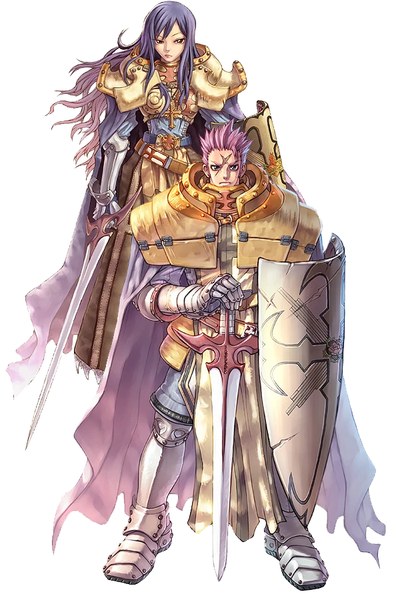
The exam takes place in Prontera Castle, as in RO. A Swordman with Job Lv 40 who has spent all skill points applies to the senior crusader Michael Halig, and then:
- Trophies. Michael asks for 10 of each item of one of three sets — from undead and prison monsters. A Chivalry Emblem and a Hand of God can replace the set.
- Endurance test. The man in anguish in the castle sends you to a corridor full of undead — wear a Rosary. Walk to the end and kill nothing: kill a monster and the test fails.
- Quiz with the crusader Gabriel in Prontera Cathedral: 10 questions about undead, demons and skills. 90 points needed, 80 on a retake.
- Purification test. The patron knight Bliant takes a Holy Water and sends you to the new "Crusader Arena" map. Defeat 10 undead within 4 minutes, then the Ghoul — the exit opens. One candidate at a time; the others wait in the waiting room, and you can leave from there back to the castle.
The reward is 6 White Potions (12 at Job Lv 50) and the Crusader job. The quest log guides you through every step.
Skills: Faith, Auto Guard, Shield Charge, Shield Boomerang, Reflect Shield, Holy Cross, Grand Cross, Devotion, Providence, Defender and Spear Quicken. Formulas and effects as in RO.

- Auto Guard sometimes blocks a blow with the shield, Reflect Shield returns part of melee damage, Defender weakens ranged attacks but slows walking and attacks.
- Holy Cross and Grand Cross strike with holy power — especially painful for undead and demons. Grand Cross hurts the Crusader too.
- Devotion is the job's signature skill: the Crusader takes the damage of a nearby party member. Up to 5 players, level difference no more than 10, with a blue line between them. The protected player also gets the Crusader's Auto Guard and Defender. Walk farther than 7–11 cells, or the Crusader dies, logs out or someone changes map — the protection ends.
- Providence protects another player from holy attacks and demons.
- The Crusader tree also has Acolyte skills — Heal, Cure, Divine Protection, Demon Bane — plus Peco Peco Ride and Cavalier Mastery.
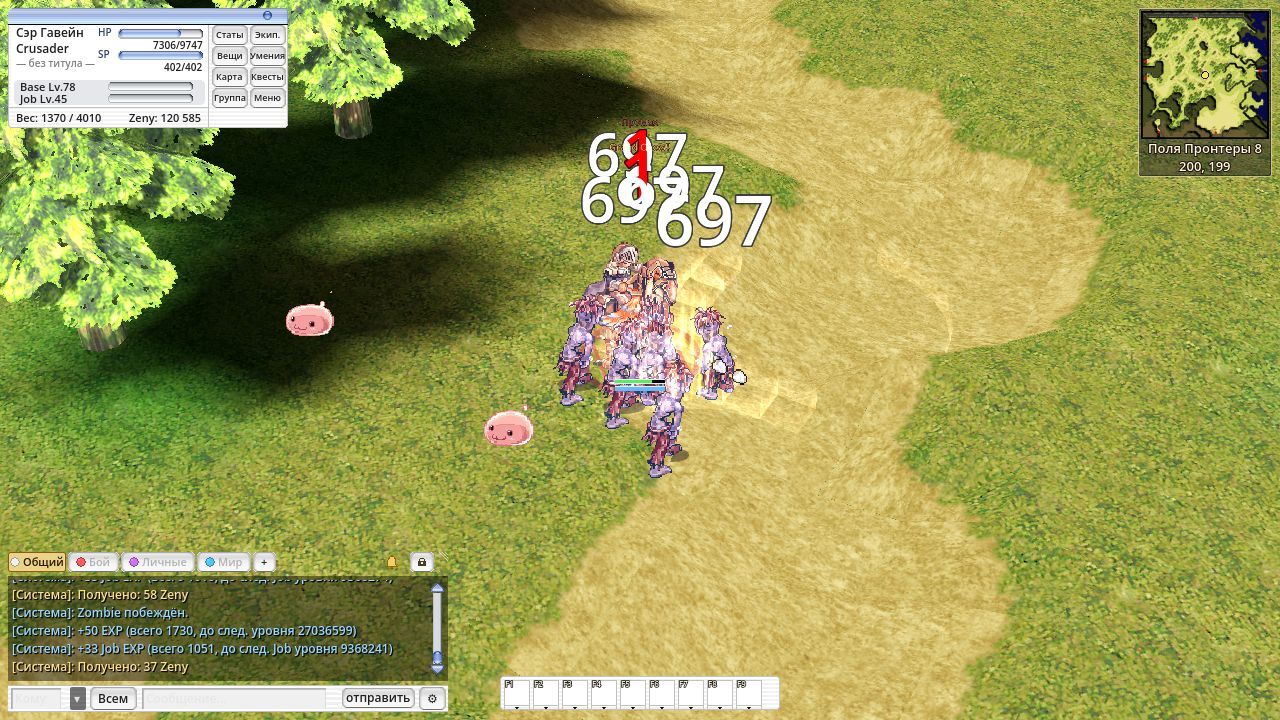
Shrink is a quest skill. Ford in Geffen asks you to find a wounded soldier in the Geffen fields, and Father Arthur in Prontera Cathedral brews an antidote for him from your materials. Under Shrink, an Auto Guard block sometimes knocks the monster back.
Peco Peco. A Crusader with Peco Peco Ride rents one from the crusaders' breeder in east Prontera for 3500 zeny.
Step by step — on the Crusader page.
Titles
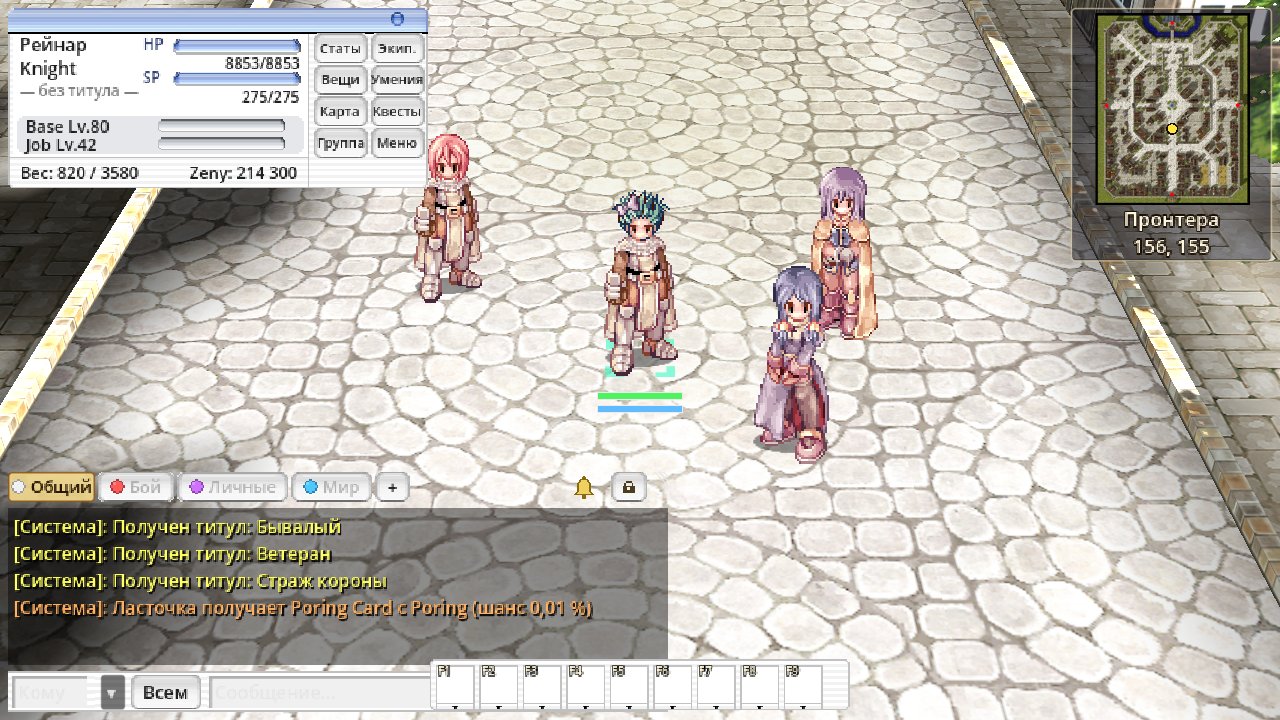
A title can now stand under your name above your head — smaller and golden. Everyone around sees it, and it is also in the player menu, in the Basic Info window and in the character profile on the website.
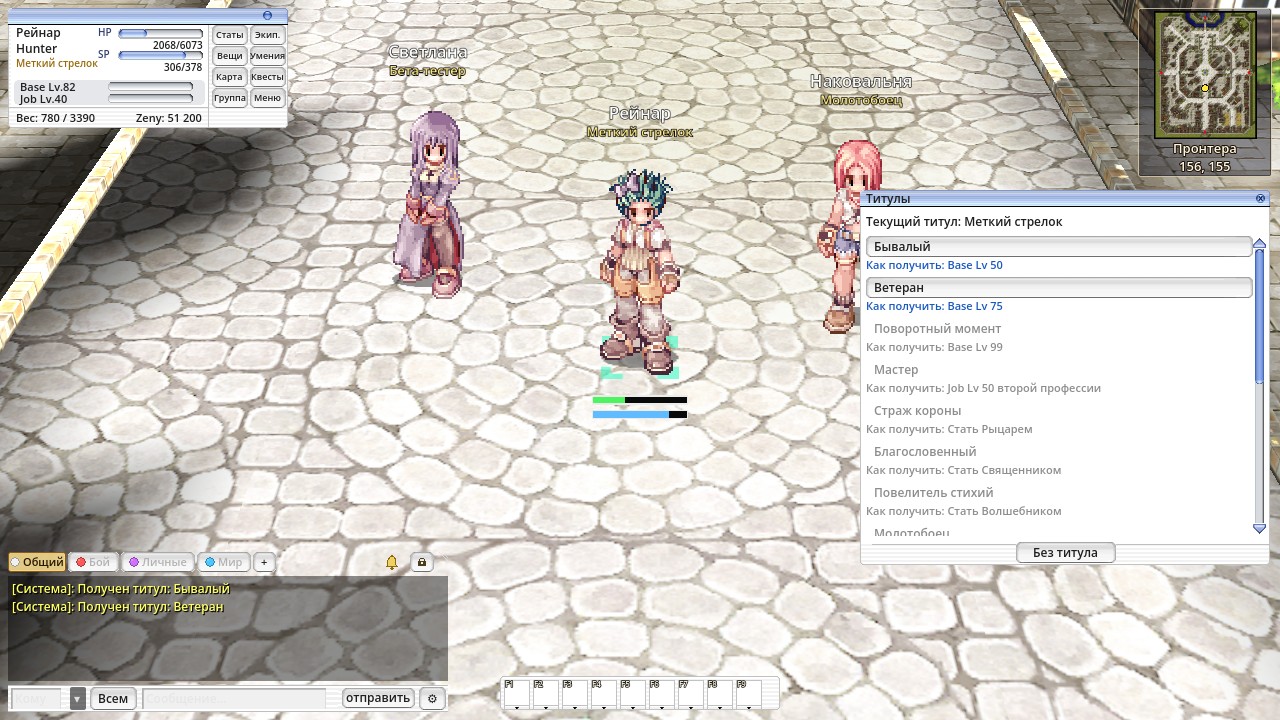
- Titles window — Alt+Y or a click on the title line in Basic Info. Earned titles can be selected, locked ones are grey, and each says how to get it. "No title" removes it.
- What gives a title:
- Base Lv 50, 75 and 99;
- Job Lv 50 of a second job;
- becoming a Knight, Priest, Wizard, Blacksmith, Hunter or Assassin;
- an MVP reward;
- graduating from the academy, the quest "First Steps in Izlude" and the Helmet of Orc Hero from the Orc Hero.
- Titles for levels, jobs and these quests that you had already earned were granted right away.
- "Beta Tester" — for every character that exists now and every character created up to 31 December 2026 inclusive. Thank you for playing with us from the very start!
- A new title shows a chat line "Title earned: …".
- Names follow the client language, Russian or English; on the website — the page language.
- Players in incognito, shown as "???", don't show a title either.
- A title is cosmetic only: it adds nothing to stats.
- Don't like it? "Settings" → "Game" → "Effects": you can hide other players' titles and your own.
Achievements
Achievements belong to the account: once one character completes one, it is done for all. Each character keeps its own counter: 500 Porings on one and 500 on another are not 1000.
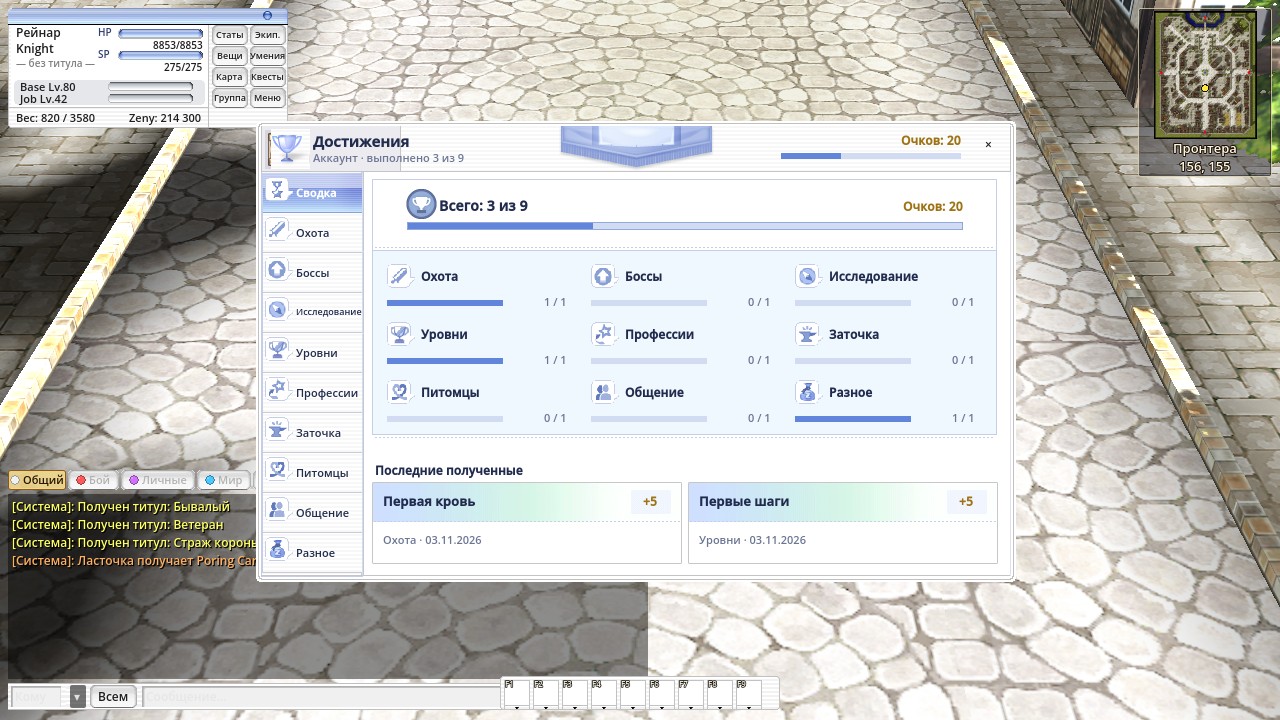
- Achievements window — Alt+B: a summary, group tabs, progress like "734 / 1000", who completed it and when, and the reward. Secret ones show as "???" until completed. When you complete one, "Achievement completed" appears in the middle of the screen and a line goes to chat.
- One per tab for now: "First Blood" (defeat a monster), "First Trophy" (an MVP reward), "Tourist" (visit six towns), "First Steps" (Base Lv 10), "Swordman", "First Strike" (refine to +5), "New Friend" (tame a monster), "Let's Party" (join a party) and "Piggy Bank" (100,000 zeny). More will come later.
- What can be seen on a character — levels, job, zeny, friends — counts right away when you log in.
- Rewards are achievement points, and some also give a title that any character of the account can pick, even one created later. Achievements give no items.
- On the website: the number of the account's achievements next to the name in the rankings, an "Achievements" block in the character profile, and completed achievements and progress on the rest in your account.
World chat: «Мир» and «Торговля»
Thanks to the players on the forum for the idea! Now you can talk to the whole server, not only to those nearby.

- Two channels: «Мир» (World) — small talk, looking for a party, advice; «Торговля» (Trade) — ads. The new «Мир» chat tab shows both. To write, use the button next to the input: «Всем» → «Группа» → «Мир» → «Торговля». Item links work in Trade.
- Don't want to read it — untick the channel in the tab settings or delete the tab.
- No spam: you can write to the world chat from level 10, to World once every 10 seconds, to Trade once every 30; a message is up to 200 characters.
- Players on your ignore list (
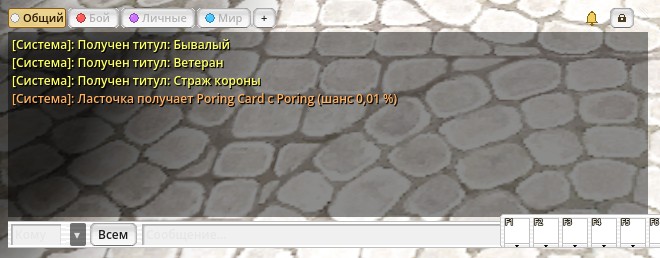
/ex name) are hidden in the world chat too. In incognito the name shows as "???", as in the normal chat. - Rare drops for everyone: when an item with a 0.04 % chance or less drops (cards, good gear), the whole server sees a line in the «Общий» (General) tab.
Changing your username and forum name
Your website username is also your forum name. It used to be whatever you typed at registration — often your e-mail address. Now you can change it: "Account" → "Security" → "Username and forum name".
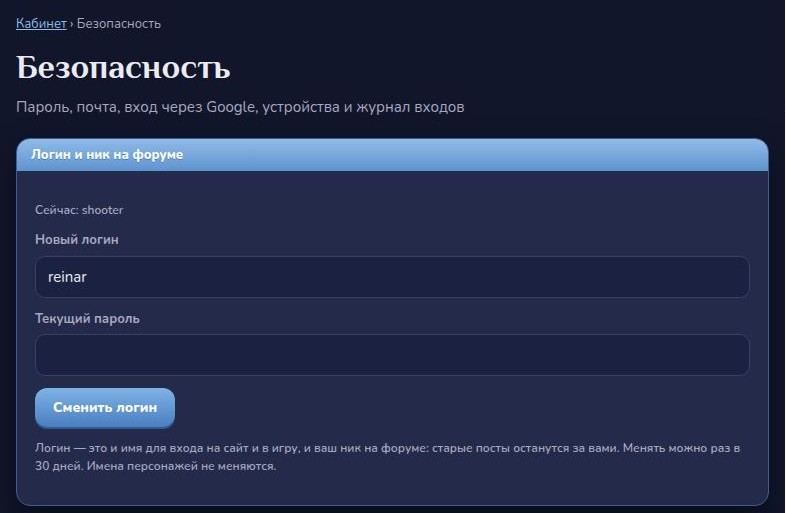
- You can change it once every 30 days. Your current password is needed.
- The forum updates right away, and your old posts stay yours.
- Log in to the website and the game with the new username. Character names do not change.
Companion app
The Android app now has the world chat too, and shows right away who wrote to you.
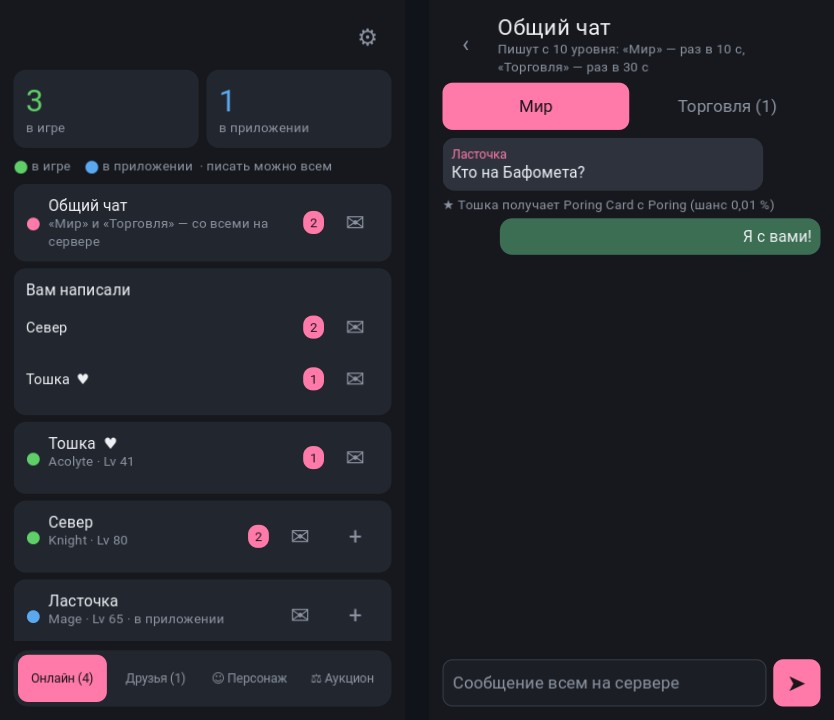
- World chat — a card above the "Online" list: World and Trade, plus rare drop lines. You can read and write right from the app (also from level 10). Called by name — a notification (⚙ → "Notifications").
- "You have messages" on the "Online" tab: unread messages from each person, including those who are not your friends. A counter sits next to the name in the list and on the "Online" button.
- The bottom bar is no longer wider than the screen.
- The app will offer to update to version 0.497 by itself.
Hotkey bar: icons only
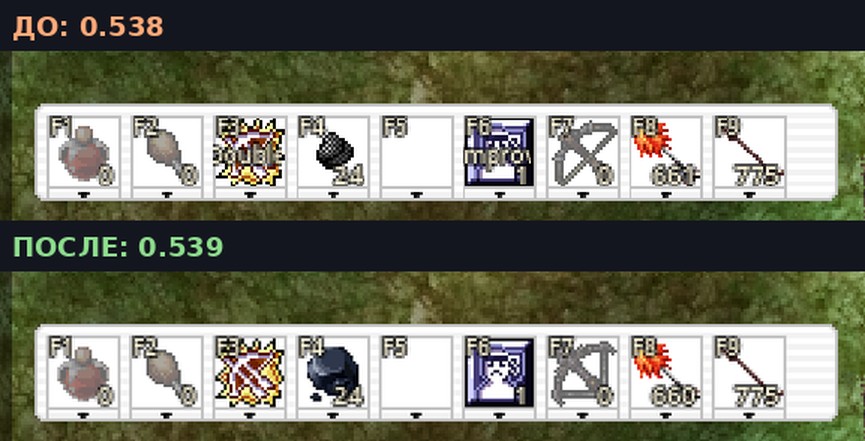
The F1–F9 bar used to print the first letters of a skill's name over its icon — "Double" on Double Strafe, "mprov" on Improve Concentration. They covered the picture and said little. Now a slot shows only the icon, the key and the level; the full name with the level is in the tooltip. Thanks to the player on the forum for the screenshot!
Interface scale
"Settings" → "Interface" → "Scale" used to enlarge only windows with a title bar. Now everything grows: the character window, chat, minimap, the Poring clock, the status bar, the NPC dialog, the auction and small windows. Windows stay at their screen edges: chat in the bottom-left corner, the minimap on the right, the NPC dialog at the bottom centre, and no longer slide off screen when the scale changes. A resized chat keeps its size. Only the text above heads — chat bubbles and pet lines — doesn't grow: it follows the world, like damage numbers. Thanks for the bug report!
The client updates itself on launch.