The server updates often, sometimes several times a day, and until now the only way to find out what changed was the website. Now the list of changes lives in the game itself: open the menu and you can see what's new since the last update. Update 0.648 itself, like the previous one, went out mid-game: nobody got kicked.
The "What's new" button
The menu (Esc) has a new "What's new" button. If the server has been updated and you haven't looked at the changes yet, a red dot lights up on the "Menu" button and on "What's new". When you log in, a line about the update with a "What's new" link appears in the chat; clicking it opens the window.
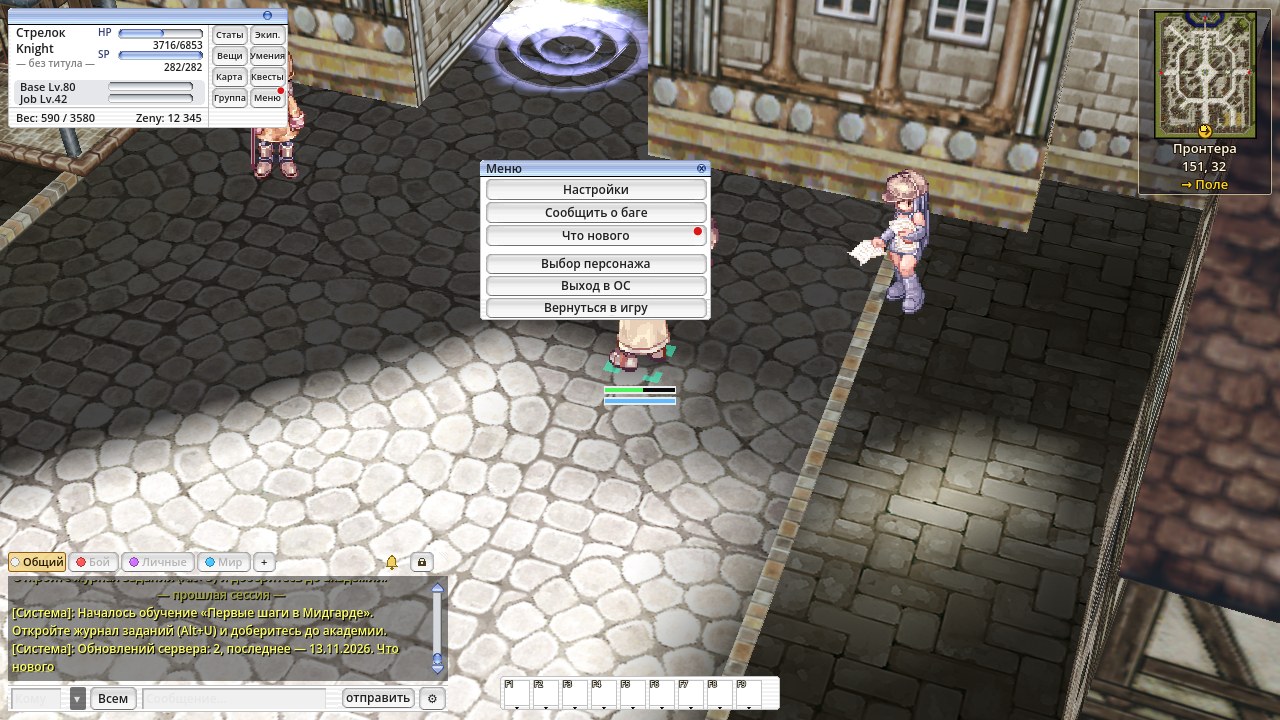
You can turn the reminders off in Settings → Interface, in the chat section.
The "What's new" window
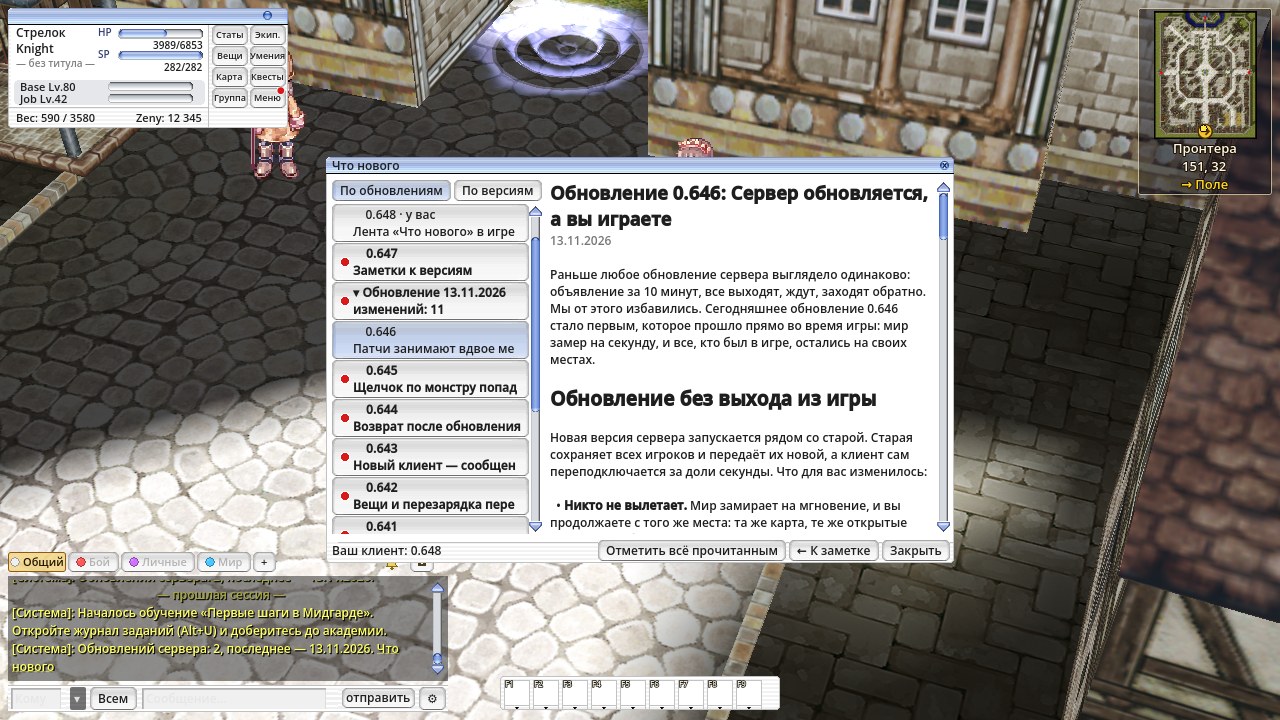
On the left is the list, on the right is the note for the selected version: what changed, short and to the point.
- By update or by version. There can be several versions a day, but the server only updates once or twice. So by default the list is grouped by server update: "Update of 13.11.2026, changes: 11". Click an update to collapse it. The "By version" button shows a plain list of versions. Your choice is remembered.
- Do you need the new client. Items that need the patch are marked "needs the patch" while your client is older. Your own version is marked "yours".
- Older notes on demand. The latest versions come first; "Show more" at the bottom of the list loads older ones.
- Two languages. Notes are in Russian and English, following your interface language.

You decide what's read
On first launch everything counts as new. Unread notes are bold with a red dot. Open a note and it's read. Don't feel like reading them all? Press "Mark all as read". The dot on "Menu" goes out once everything is read. Your read marks are kept with your interface settings, and the client fetches new notes on its own.
The news, right in the window
Big updates come with a news post like this one. "Read the news" shows it in the same window, with pictures, and "← Back to the note" takes you back. Links in the news open in your browser.
You need the new client to see the feed. If the game is already running, you'll get a message that a client update is out: update right away, or finish playing and update later. On the next launch the client updates itself.