No new lands this time. Instead, we took what is already here and brought it to the "it just works" state: we read your messages in chat, on the forum and in bug reports and cleared away everything that got in the way of playing. Your homunculus became a partner you can trust with your back. Your aim finds its target by itself. Everyone hears the world chat again. And merchants finally get real profit out of their trade.
Taking off the training wheels: the homunculus officially goes into battle
Your homunculus used to be like a bike with training wheels: it only rode while you held the handlebars. Now you decide how independent it is. The homunculus window (Alt+R) has two columns, and each answers its own question.
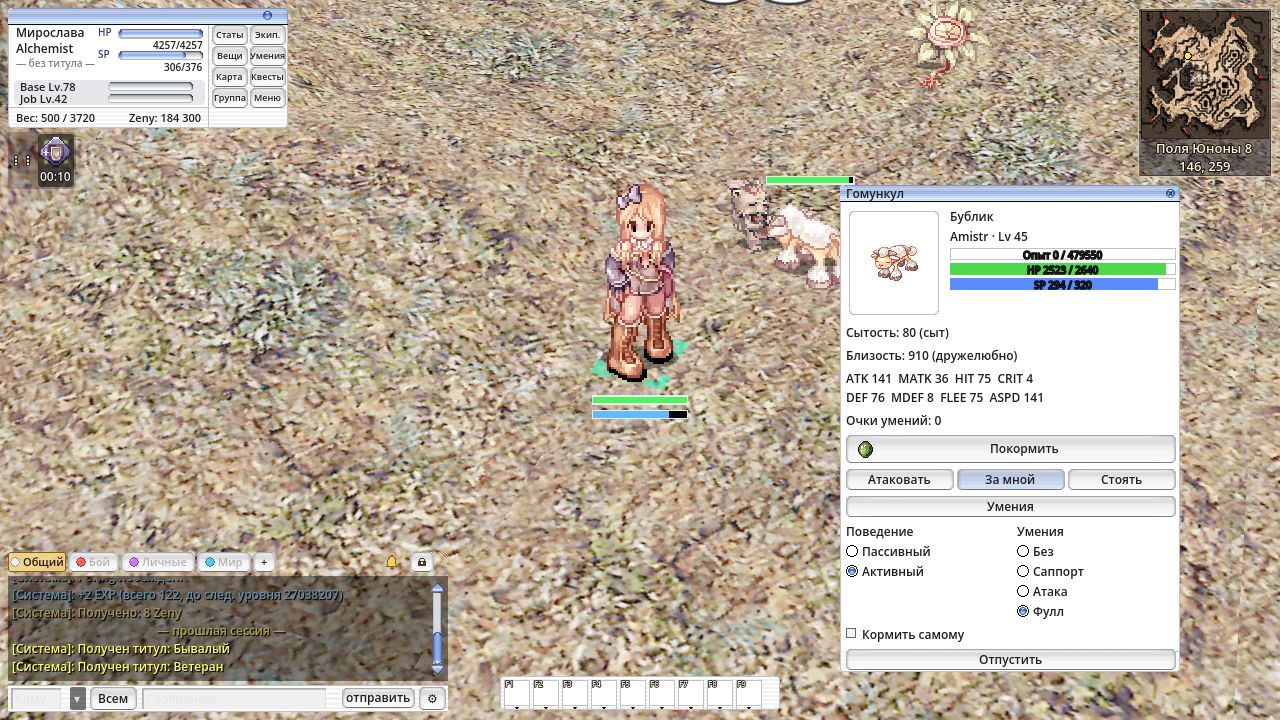
Whom to fight:
- Passive is a loyal bodyguard. It stays close, hits your target and anyone who touches you or it.
- Active is a hunter on a short leash. It charges monsters within 7 cells of itself on its own, but leaves other people's prey alone: monsters fighting other players are off limits. And it won't get lost: if it runs more than 14 cells away for 3 seconds, it comes back to you.
How to fight:
- None — fists and claws only;
- Support — your personal medic: heals you and keeps buffs up;
- Attack — hits the target with skills;
- Full — all of the above.
A passive homunculus can use "None" and "Support". If your homunculus used attack skills before, switch it to "Active" and "Attack" or "Full".
You can give orders without leaving the fight: there are new hotkeys for "attack my target", "follow me", "stay" and "passive / active". Bind them in "Key bindings" → "Other".
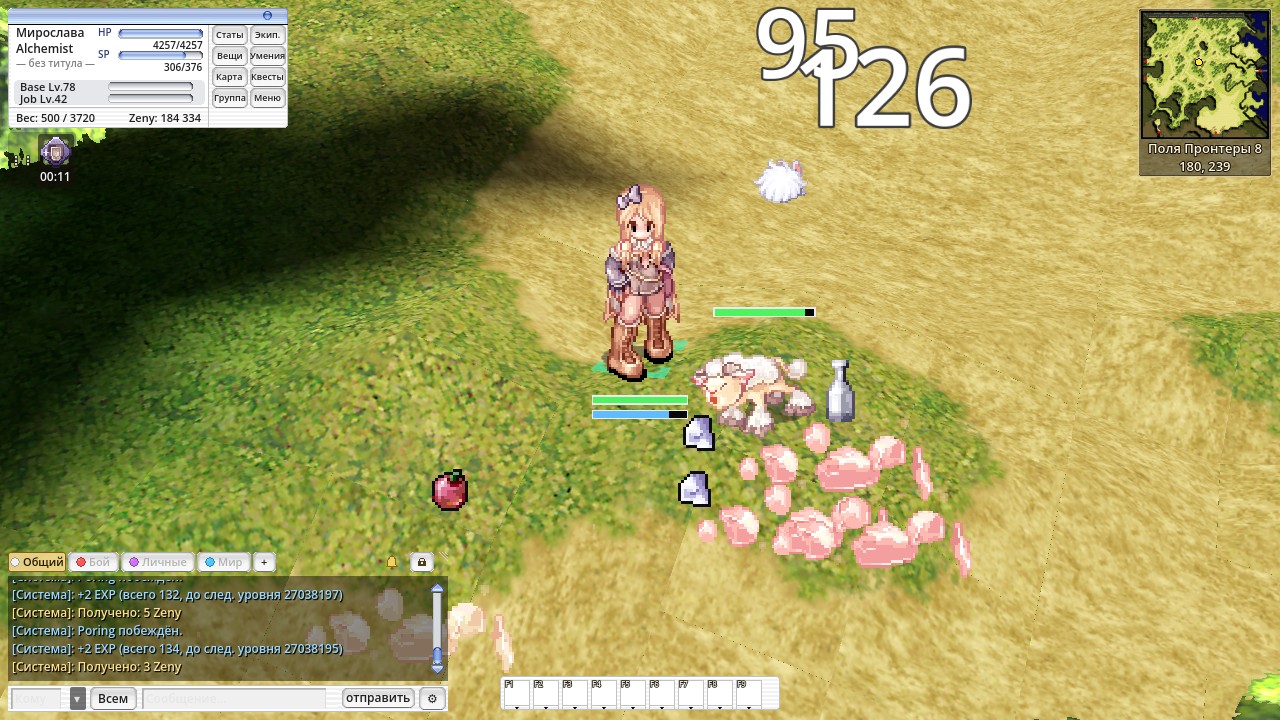
This is just the first pair of modes. What else does your homunculus need? Tell us on the forum — we'll build the best ideas.
Aim with a door closer: the cursor finds its target
Hitting a nimble Poring in a crowd used to be harder than killing it. Now the cursor works like a door with a closer: move it near a monster and it settles on the target and holds on while the monster stays close. Move the mouse away and the cursor gently lets go. The mouse itself never jumps — nobody pulls your hand.
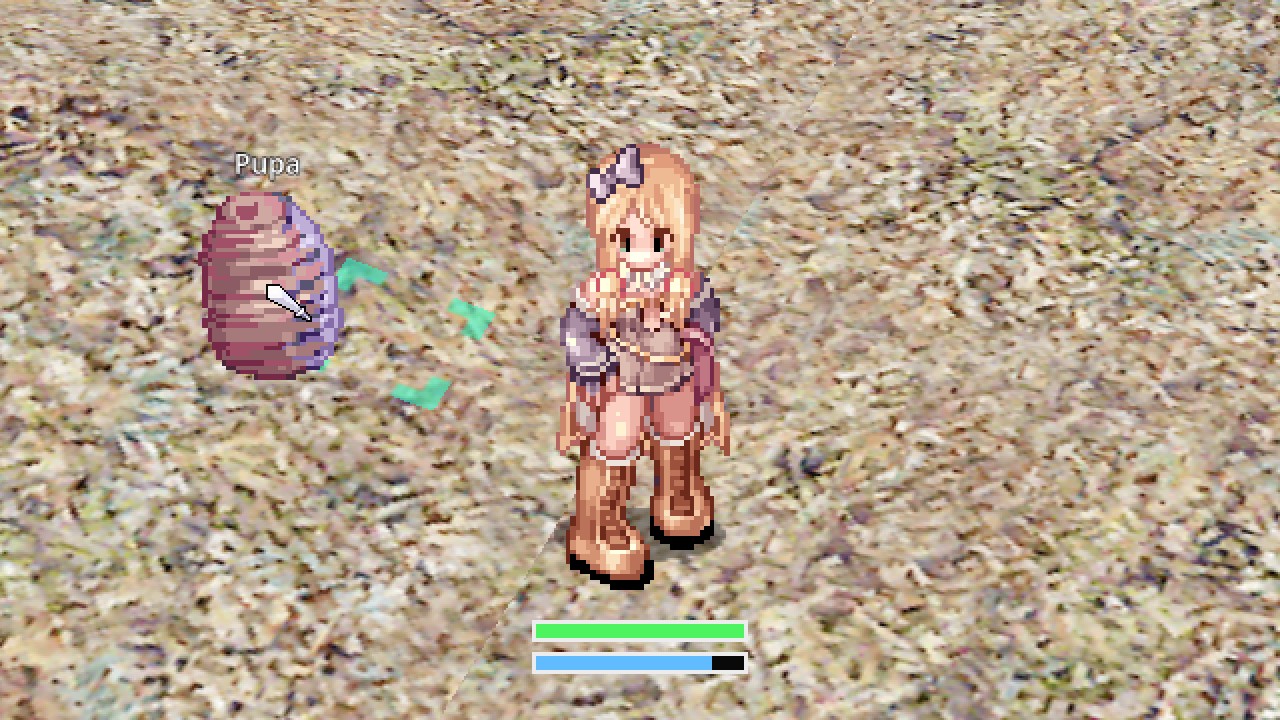
Like in the original client, aim assist has three modes, each toggled by its own chat command:
/snap— for attacks: a click near a monster hits it;/skillsnap— for skills: an attack skill flies at the nearest monster, while Heal, Blessing and Increase AGI go to the nearest player, party members included. Healers no longer need pixel-perfect aim while the party runs;/itemsnap— for loot: items on the ground are easier to hit, and a click nearby picks them up.
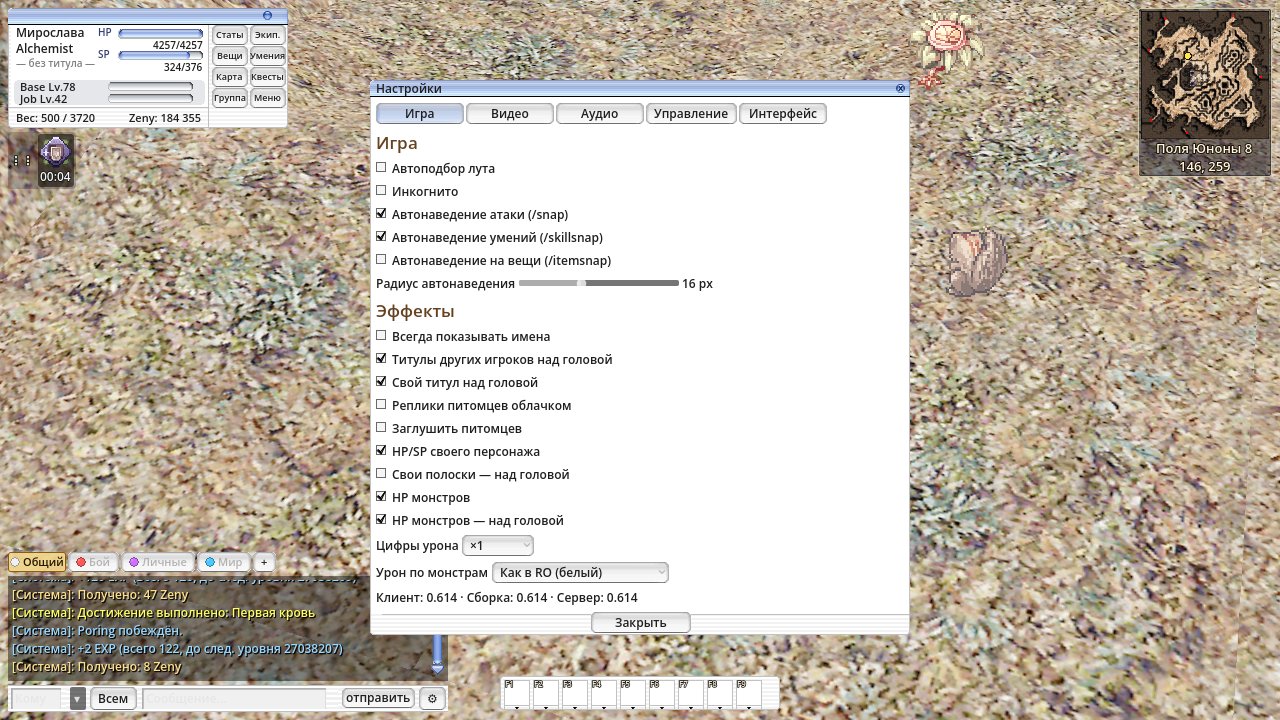
The same three checkboxes are in Settings → "Game", next to an "Aim assist radius" slider from 6 to 32 pixels: make the aim as sticky as you like. Defaults match the original: skill aim assist is on, the rest is off.
Thanks for your feedback on the forum!
Loudspeaker: everyone hears "World" and "Trade"
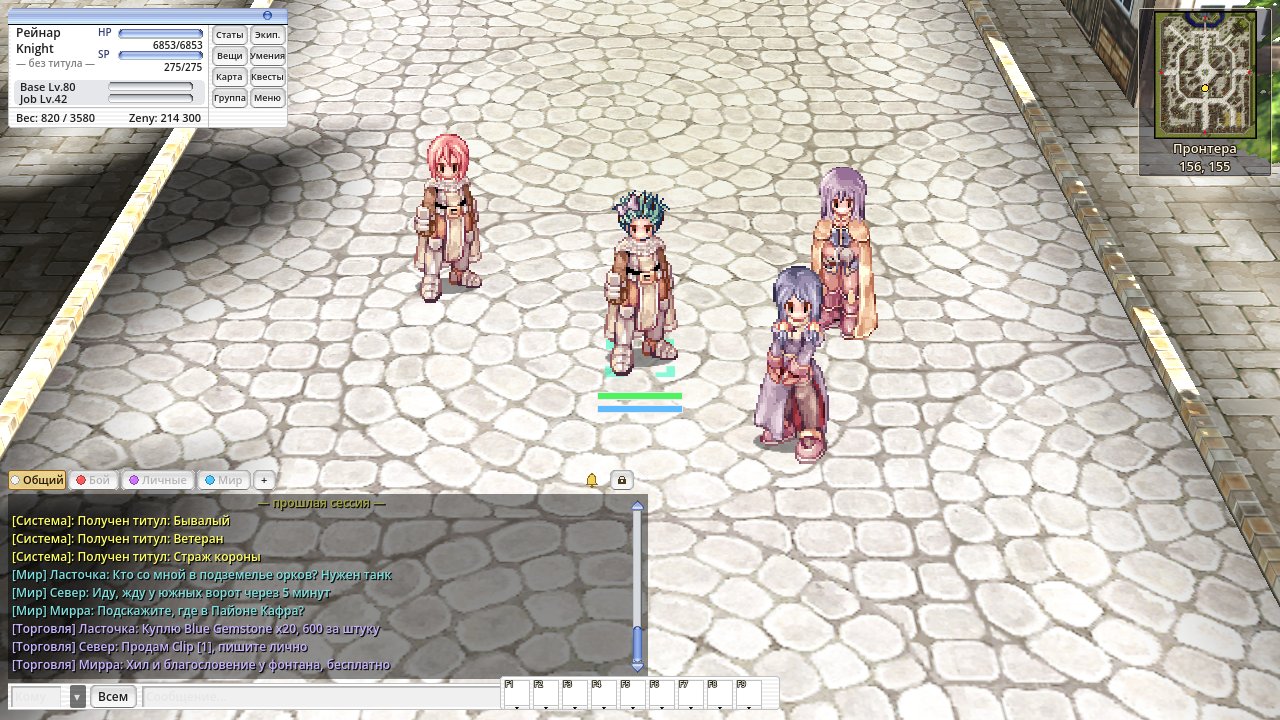
"World" and "Trade" messages always reached every player on every map. But they landed in a separate box, the "World" tab, which few people opened. You shouted to the whole world and only a handful heard you. Now these messages also arrive in the "General" tab, with a channel tag so they don't mix with the talk around you: "[World] Name: …", "[Trade] Name: S> …". Your "selling" reaches the whole server. If it bothers you, untick it in the tab settings.
Trade that pays off: Vending works at the auction too
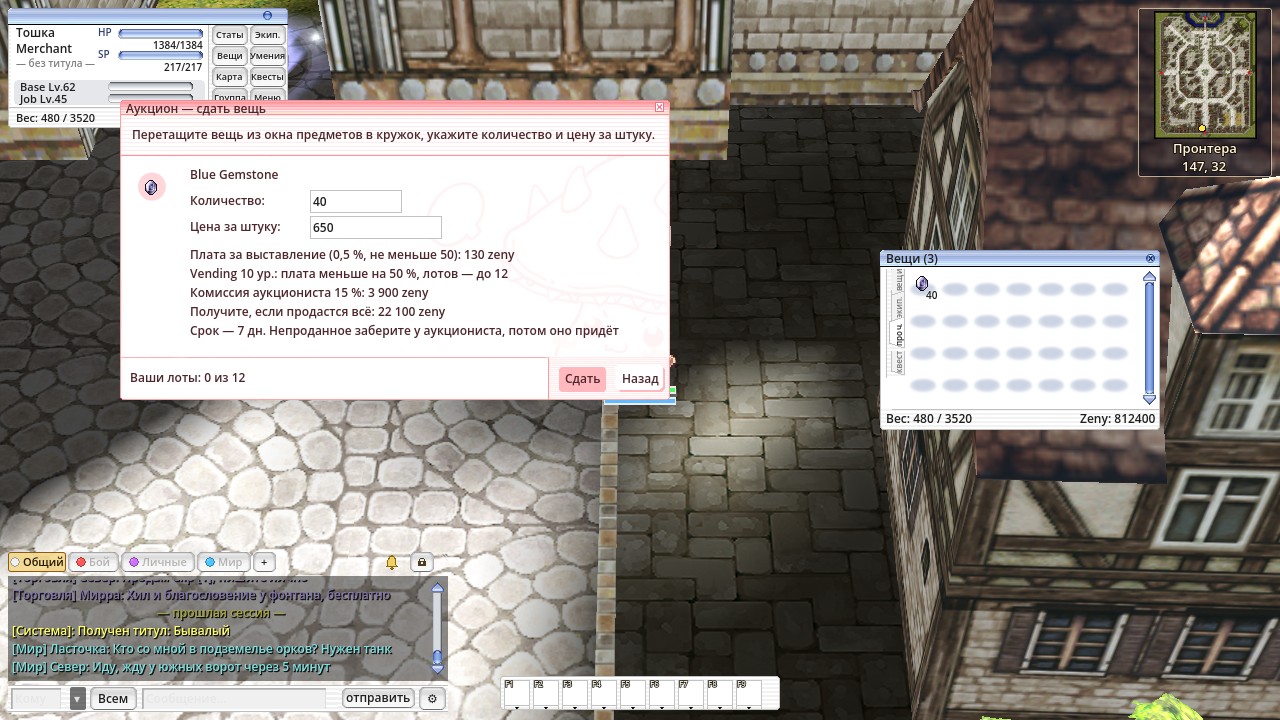
The auctioneer used to ignore your Vending: however high the skill, she took at most 5 items and charged the full listing fee. Now every level you put into Vending pays off at the auction too:
- Bigger shop window. You can list 2 + Vending level items, but at least 5. Vending 10 gives 12 lots.
- Lower fee. Every Vending level cuts the listing fee by 5 %. At level 10 it is 0.5 % (at least 50 zeny) instead of 1 %.
The auction window shows your discount and lot limit by itself.
Quiet on the Juno fields: Grand Peco no longer takes revenge on passers-by
Once someone fought a Grand Peco, it charged everyone who walked by until it died, even those who never touched it. Now, as intended, it cools down and lets go of its target. You can walk the Juno fields in peace again. The same fix applies to Clock Tower Manager.
Descriptions without surprises
Banana Juice no longer promises SP it doesn't give: a piece of the Grape Juice description had stuck to it. The same stray text was removed from Holy Water, Wooden Mail, Wing of Crow, Chocolate Pie and Power Box. And Grape Juice, Panacea, Tights, Munak Doll and 70-odd other items have a description for the first time. What the item says is what it does.
Fair play: a second for humans, a wall for bots
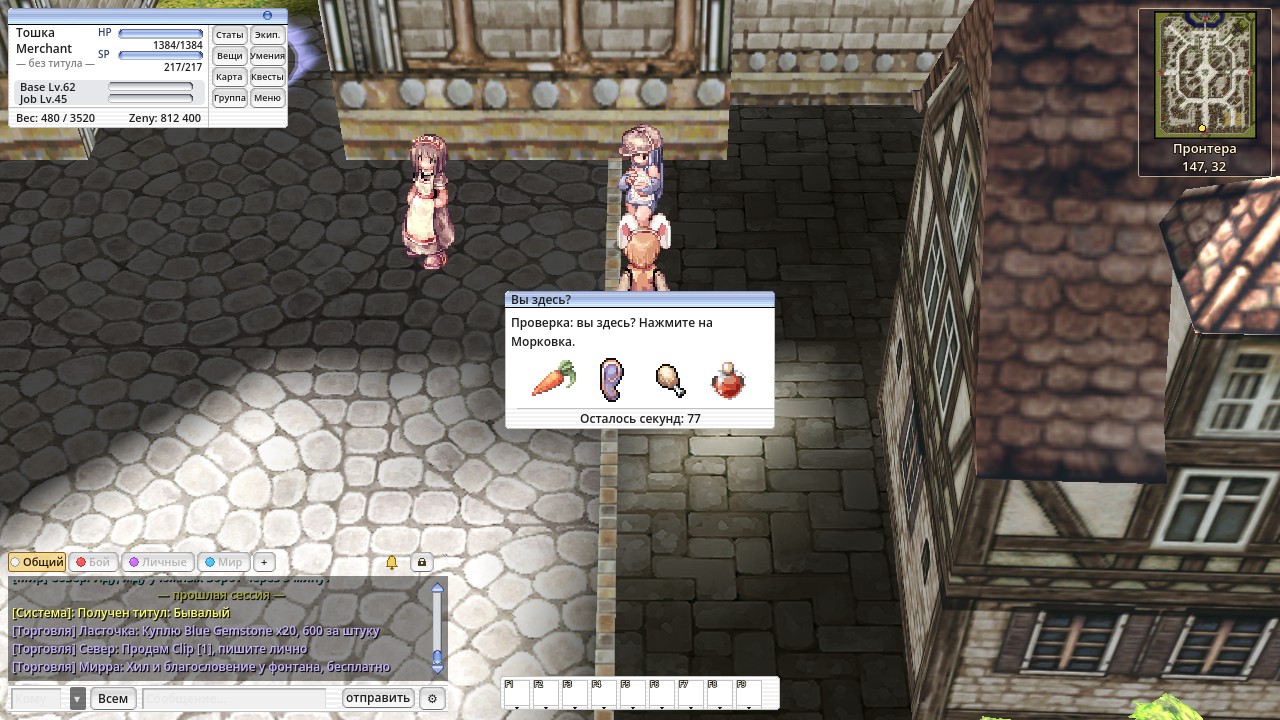
If you kill monsters for an hour and a half straight without talking to anyone, the game will ask "Are you here?" once and have you click the named item among four pictures. A real player answers in a second and plays on, and the next check won't come for a long while. A bot can't pass it without a human at the keyboard. Fewer bots means more monsters and fairer market prices for you.
ZeRO app: notifications only about the people who matter
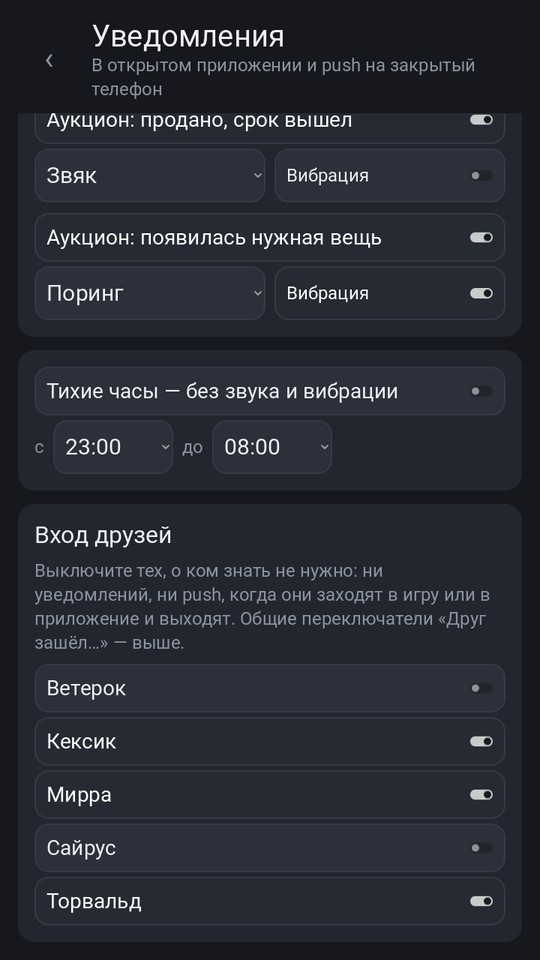
In app 0.499, notifications moved to their own page: ⚙ → "Notifications". In the "Friends online" section, pick whom to be told about when they log in to the game or the app. Your phone no longer buzzes for everyone, and private messages still come from everyone, as before.
The client updates itself at launch.